If your Volkswagen radio suddenly displays CODE, it usually means that the radio’s security system is active and the unit is waiting for the correct security code.
This can happen after a battery replacement, battery disconnect, electrical power interruption, radio removal, or installation of another factory radio.
Seeing CODE does not automatically mean that your Volkswagen radio is damaged. In many cases, the radio simply needs the correct security information before normal operation can continue.
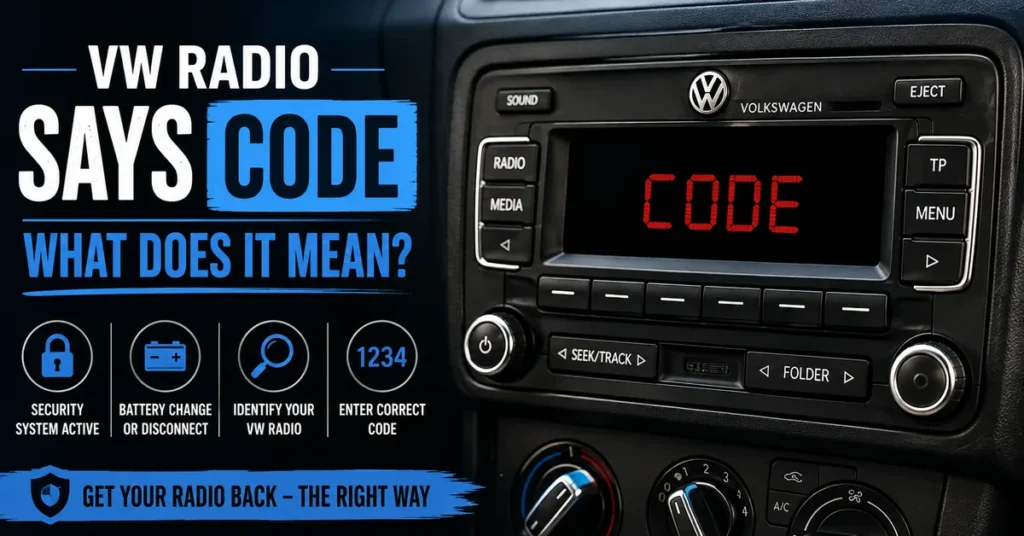
The important thing is not to start guessing four-digit combinations. First identify the radio, find the relevant identification information, and determine the correct recovery procedure for the unit installed in your Volkswagen.
What Does CODE Mean on a VW Radio?
When a Volkswagen radio displays CODE, it is generally indicating that the radio’s anti-theft security system requires a valid code before the unit can return to normal operation.
The security system is designed to help prevent a removed factory radio from being freely used without authorization.
A loss of electrical power can cause some Volkswagen radios to request their security code again when power is restored.
Depending on the radio model, you may also encounter messages such as SAFE or SAFE 2. These messages are related to the radio’s security system, but they do not necessarily represent exactly the same condition.
Why Does My Volkswagen Radio Say CODE?
There are several common situations that can cause a Volkswagen radio to request its security code.
After a Battery Replacement
Replacing the vehicle battery temporarily removes electrical power from the radio. When power is restored, a compatible factory radio may ask for its security code.
After Disconnecting the Battery
The same situation can occur when the vehicle battery has been disconnected for maintenance, repairs, or other electrical work.
If your radio became locked specifically after a battery disconnect, our guide on what to do when a VW radio is locked after a battery disconnect covers that situation separately.
After Removing the Radio
If the factory radio has been removed from the dashboard, its electrical power has been interrupted. After installation, the unit may request its security code again.
After Installing a Replacement Radio
A replacement Volkswagen radio can also display CODE after installation.
This is especially important because the replacement unit can have a different serial number and security identity from the original radio that came with the vehicle.
For this reason, the code associated with the original radio should not automatically be assumed to work with a replacement unit.
Does CODE Mean My VW Radio Is Locked?
The CODE message normally means that the radio’s security system is requesting the appropriate code or procedure.
It does not necessarily mean that the radio is permanently locked or defective.
However, repeatedly entering incorrect codes can cause some Volkswagen radios to enter a more restrictive security state.
That is why it is better to identify the radio and verify the required information before making another attempt.
What Should I Do When My VW Radio Says CODE?
If your Volkswagen radio is displaying CODE, work through the recovery process in the correct order.
- Identify the exact radio installed in the vehicle.
- Find the radio serial number.
- Check the radio manufacturer and model.
- Determine whether the radio is original or a replacement.
- Find the appropriate recovery method.
- Verify the code before entering it.
- Follow the correct code-entry procedure for the radio.
Step 1: Identify the Volkswagen Radio
The first step is to identify the actual radio currently installed in your Volkswagen.
This matters because Volkswagen has used many different factory radio systems over the years. Different radio generations can have different identification information and security procedures.
Look for information such as:
- Radio model
- Radio manufacturer
- Serial number
- Part number
- Other identification numbers
Do not assume that the largest number printed on the radio is automatically the serial number.
Step 2: Find the Radio Serial Number
The radio serial number is one of the most useful pieces of information when determining the appropriate recovery method for a compatible Volkswagen radio.
Depending on the vehicle and radio, the information may be recorded in the original documentation or printed on a label attached to the radio.
If you are not sure which number is the serial number, use our guide to locate the Volkswagen radio serial number before proceeding.
Copy the Serial Number Exactly
When you find the serial number, copy the complete combination exactly as it appears.
Pay particular attention to characters that can be confused, including:
- O and 0
- Z and 2
- I and 1
- Letters and numbers
- Missing characters
- Additional characters
A single incorrect character can lead to the wrong radio being identified.
Step 3: Check Whether the Radio Has Been Replaced
One of the most important questions is whether the radio currently installed is the original factory unit.
If the original radio was removed and another Volkswagen radio was installed, the replacement unit has its own identification information.
That means a code found in the original vehicle documentation may belong to the original radio rather than the replacement.
Always identify the radio that is actually installed in the dashboard.
Step 4: Determine the Correct Radio-Code Method
Volkswagen has used different radio systems, manufacturers and generations.
Older factory radios may use traditional security-code systems, while newer infotainment units can use different security or pairing procedures.
Therefore, a method that works for one Volkswagen radio should not automatically be applied to another unit simply because both radios are installed in Volkswagen vehicles.
The radio model, manufacturer, serial number and part number can help determine the appropriate direction.
Step 5: Make Sure You Have the Correct Code
Once the radio has been identified, make sure the code you intend to use belongs to that particular unit.
Do not assume that any four-digit number is suitable.
If you already have the required radio information and need to submit it for a supported recovery method, you can use the VW radio code request service.
Step 6: Enter the Volkswagen Radio Code
After obtaining the correct code, the final step is entering it into the radio.
The exact button sequence depends on the radio model. Some older Volkswagen radios use preset buttons to select individual digits, while other units can use different controls.
For this reason, follow the procedure appropriate for your particular radio instead of assuming that every Volkswagen unit uses the same sequence.
Our guide explains the process of entering the recovered code into your VW radio.
Check the Code Before Confirming It
Before confirming the code, compare every digit with the confirmed information.
If something looks incorrect, stop and verify it instead of confirming an uncertain number.
What If My VW Radio Says SAFE Instead of CODE?
SAFE is another security-related message that can appear on compatible Volkswagen radios.
If your display specifically says SAFE, use our dedicated guide on what the SAFE message means on a VW radio.
The recovery process can depend on the exact radio, so it is better to follow the article that matches the message displayed by your unit.
What If My VW Radio Says SAFE 2?
If the display changes from CODE to SAFE 2, do not continue entering random codes.
On compatible radios, SAFE 2 can indicate a more restrictive security state following unsuccessful code attempts.
If that is what you see, read our separate guide explaining what SAFE 2 means on a Volkswagen radio.
We also have a dedicated guide covering how to get a Volkswagen radio out of SAFE 2 mode.
Can I Enter Any Four-Digit Number?
No. A Volkswagen radio security code should not be treated as a random four-digit password.
Entering random combinations can lead to unsuccessful attempts and, on some radio systems, a temporary lockout condition.
If you do not know the correct code, stop and identify the radio first.
What Information Is Needed for a VW Radio Code?
The exact requirements depend on the radio, but useful identification information can include:
| Information | Why It Matters |
|---|---|
| Radio model | Identifies the radio family |
| Serial number | Identifies the individual radio |
| Manufacturer | Helps determine the radio system |
| Part number | Helps distinguish compatible units |
| Vehicle model | Provides additional context |
| Model year | Helps identify the vehicle generation |
| Original or replacement radio | Can affect which information is relevant |
Is the VIN Enough to Get a Volkswagen Radio Code?
The VIN identifies the Volkswagen vehicle, while the radio serial number identifies the radio unit.
This distinction becomes particularly important when the radio has been replaced.
If a used factory radio has been installed in your Volkswagen, its security identity can be different from the original radio that came with the vehicle.
For that reason, the radio itself should be identified whenever possible rather than relying only on vehicle information.
Why Is My VW Radio Code Not Working?
If you have entered a code and the radio does not accept it, do not immediately try another random number.
The Serial Number May Be Incorrect
Check the radio label again and compare every character with the information you used.
The Code May Belong to Another Radio
This can happen when a replacement radio has been installed and the code from the original unit is used by mistake.
The Wrong Radio Model May Have Been Selected
Volkswagen has used many different radio systems, so the recovery method needs to match the actual unit.
The Radio May Be in a Lockout State
If the display has changed to SAFE or SAFE 2, the radio may not be ready for another code-entry attempt.
Can I Get a VW Radio Code Online?
Some compatible Volkswagen radio systems can be handled through online radio-code recovery services using identifying information from the radio.
However, not every Volkswagen radio uses the same system.
Before using an online calculator or recovery service, identify the radio and make sure the method supports that particular unit.
What If I Bought My Volkswagen With CODE Already Showing?
If you purchased a used Volkswagen and the radio already displays CODE, first determine whether the radio is the original factory unit.
Check any paperwork supplied with the vehicle and compare the information with the radio currently installed.
If the radio has been replaced, focus on the identification information belonging to the replacement unit.
Common Mistakes When a VW Radio Says CODE
- Entering a random four-digit number
- Using the code from a different radio
- Confusing the VIN with the radio serial number
- Copying the serial number incorrectly
- Assuming every Volkswagen radio uses the same procedure
- Ignoring the possibility that the radio has been replaced
- Continuing to enter codes after the radio enters SAFE 2
How to Avoid Locking Your Volkswagen Radio
The simplest rule is: do not guess.
Before entering a code, make sure the radio model is correct, the serial number is complete, the code belongs to that radio, and the unit is ready to accept a code.
If you are uncertain about any of these details, verify the information before making another attempt.
VW Radio CODE: Quick Checklist
If your Volkswagen radio displays CODE, use this checklist:
- Confirm that the display says CODE.
- Identify the exact radio.
- Find the radio serial number.
- Check the manufacturer and part number.
- Determine whether the radio is original or a replacement.
- Choose the correct recovery method.
- Verify the code before entering it.
- Follow the correct code-entry procedure.
- Stop if the radio changes to SAFE or SAFE 2.
Frequently Asked Questions
Why does my VW radio say CODE after a battery change?
A battery change interrupts electrical power to the radio. Some Volkswagen factory radios request their security code when power is restored.
Does CODE mean my Volkswagen radio is broken?
Usually, the CODE message by itself does not indicate that the radio is defective. It commonly means that the security system is requesting the appropriate code or procedure.
Where can I find my Volkswagen radio code?
The code may be included in original vehicle or radio documentation. If it is not available, you may need to identify the radio and use the appropriate recovery method for that unit.
Is the VW radio code the same for every Volkswagen?
No. Volkswagen has used different radio systems and security methods. The correct information depends on the particular radio installed in the vehicle.
Can I use my VIN to find the radio code?
The VIN identifies the vehicle, while the radio serial number identifies the radio. If the radio has been replaced, the radio’s own identification information is particularly important.
What should I do if my VW radio changes from CODE to SAFE 2?
Stop entering random codes. SAFE 2 can indicate a more restrictive security state on compatible radios. Identify the radio and follow the appropriate procedure for that unit.
What if my Volkswagen radio was replaced?
Find the serial number of the radio currently installed. A code belonging to the original factory radio may not work with the replacement unit.
How do I enter my Volkswagen radio code?
The exact procedure depends on the radio model. Follow the code-entry instructions for the specific unit rather than assuming every Volkswagen radio uses the same button sequence.
What to Do When Your VW Radio Says CODE
When a Volkswagen radio displays CODE, the message usually means that the radio’s security system is requesting the appropriate security information.
The best response is not to guess.
Identify the radio, find the serial number, check whether the unit is original or replaced, determine the correct recovery method, and verify the code before entering it.
If you are starting from the beginning, the best place to continue is our guide to finding the correct radio identification number.
Once you have the required information, you can continue with the VW radio code recovery request.
After obtaining the correct code, follow the appropriate radio code entry instructions for your unit.
Identify the radio first, verify the information, and never rely on random code guesses.